Reuse services and pricing rules
Build quotes from a catalog of services and add-ons. Use per-guest, hourly, or flat pricing where appropriate, and include applicable fees, discounts, and tax in the quote.
Catering proposal software
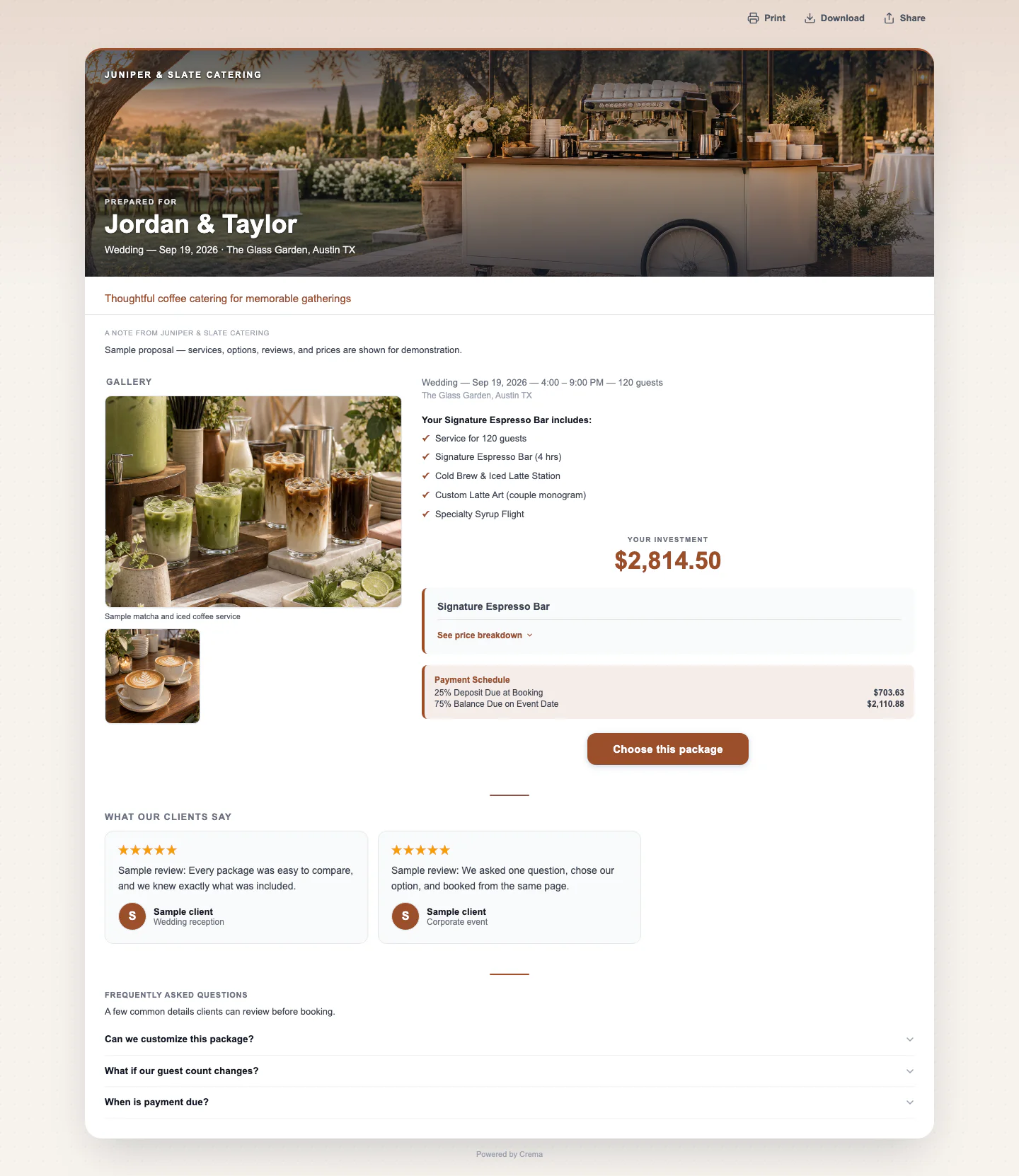
Turn your services and event details into a branded proposal with clear options, photos, and a path to booking. Keep the conversation and accepted quote together in Crema.
The short answer
A catering proposal turns an inquiry into a specific offer: the services, guest count, event timing, add-ons, fees, and payment terms the client is considering. Crema combines a quote builder with a shareable customer page, so you can present options and record acceptance without rebuilding the offer in a separate document.
Built for event work
Use your own prices and packages. Crema helps assemble and present the offer; your team decides what to charge and which terms to include.
Build quotes from a catalog of services and add-ons. Use per-guest, hourly, or flat pricing where appropriate, and include applicable fees, discounts, and tax in the quote.
Offer alternative packages in the same published quote page. Give clients clear line items and visuals so they can compare what each option includes before accepting.
Use your logo, brand colors, service photos, and optional gallery material on a mobile-friendly customer page. Keep the offer recognizable from your website to the proposal.
Clients can message your team on the published quote. View tracking helps you see whether a proposal has been opened and decide when to follow up.
When your Square account is connected and quote checkout is enabled, clients can accept and pay through the booking flow. Your payment settings control deposit requirements and tipping.
Keep the chosen quote with the lead, calendar, and event record so the team can prepare from the agreed services. Proposal creation is part of the wider catering CRM workflow.
Explore the full catering CRMA repeatable process
Crema assembles each proposal from the lead and your catalog, so you review the offer instead of retyping it.
The client, date, venue, guest count, and service hours carry over from the inquiry, so the proposal matches what the client asked for.
Build one or more packages from your services and add-ons, with line items, descriptions, and the photos already in your catalog.
Fees, discounts, tax, the deposit, and the payment schedule are calculated from your settings, along with a valid-until date.
The client opens one published link to compare options, ask questions in the quote chat, and accept. With Square checkout enabled, they can pay the deposit there too.
Straight answers
Yes. Reuse saved quote templates and your service catalog as starting points, then adjust the event details, quantities, options, and fees for each inquiry. Review the final quote before publishing it.
Yes. A published quote page can present multiple quote options so the client can compare packages and accept the one that fits. Each option retains its own services and total.
Send options at different guest counts in the same link, or revise the quote when the number changes. Each revision is saved as a numbered version, so earlier versions stay on record.
Yes. Quote acceptance and online checkout are configurable. If you do want to collect payment during booking, connect Square and enable checkout for published quotes.
The proposal is the offer a client reviews. A catering CRM manages the relationship and event around that offer, including the inquiry, follow-ups, booking, calendar, and client history. Crema includes both in one workflow.
Yes. Every new account starts with a free trial after a short onboarding call. Create a sample lead and proposal using your own services to check how the workflow fits your business.